AI limits

Claude · Gemini · iPhone, Mac, Apple Watch

Know where you stand with Claude and Gemini, at a glance.

AI limits tracks your 5-hour limit and your weekly limit, estimates when you will hit them and tells you when you can resume. Dashboard, widgets, Apple Watch, Dynamic Island.

Get notified at launch

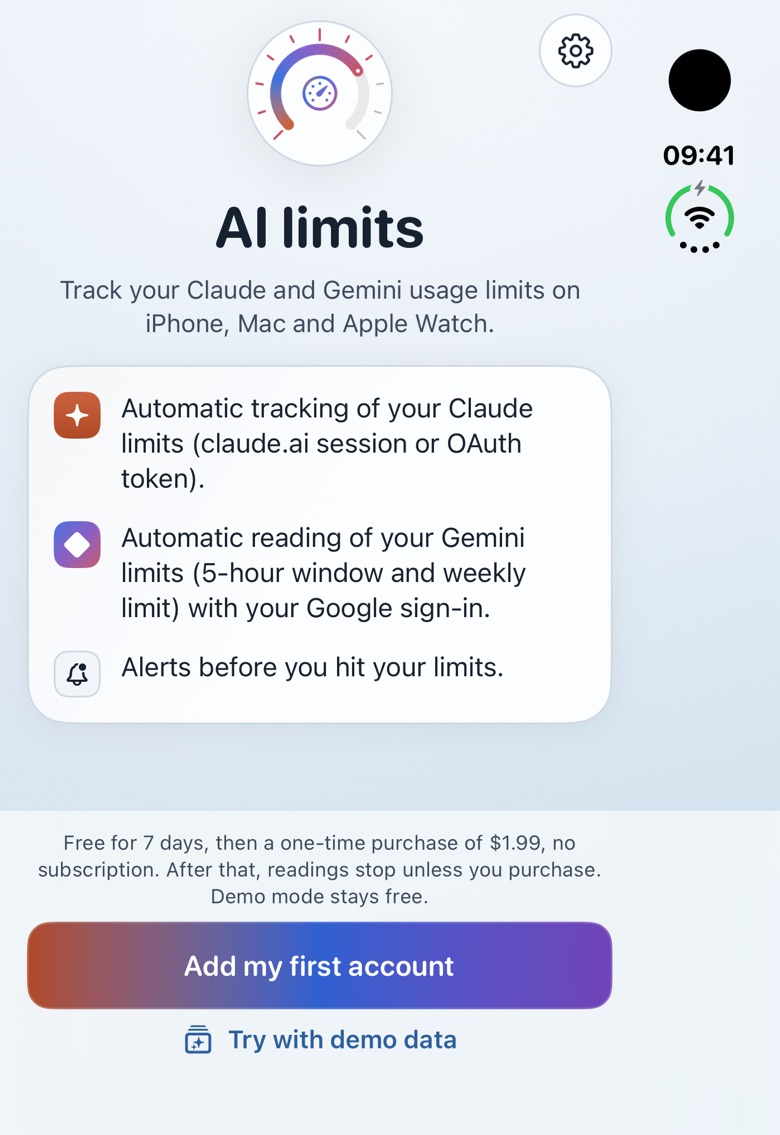
Not yet released. Free: full 7-day trial, then a one-time $1.99 purchase; no subscription, no ads.

The app is available in French, English and German.

limits tracked
5 h + weekly
developer servers
0
app languages
fr · en · de
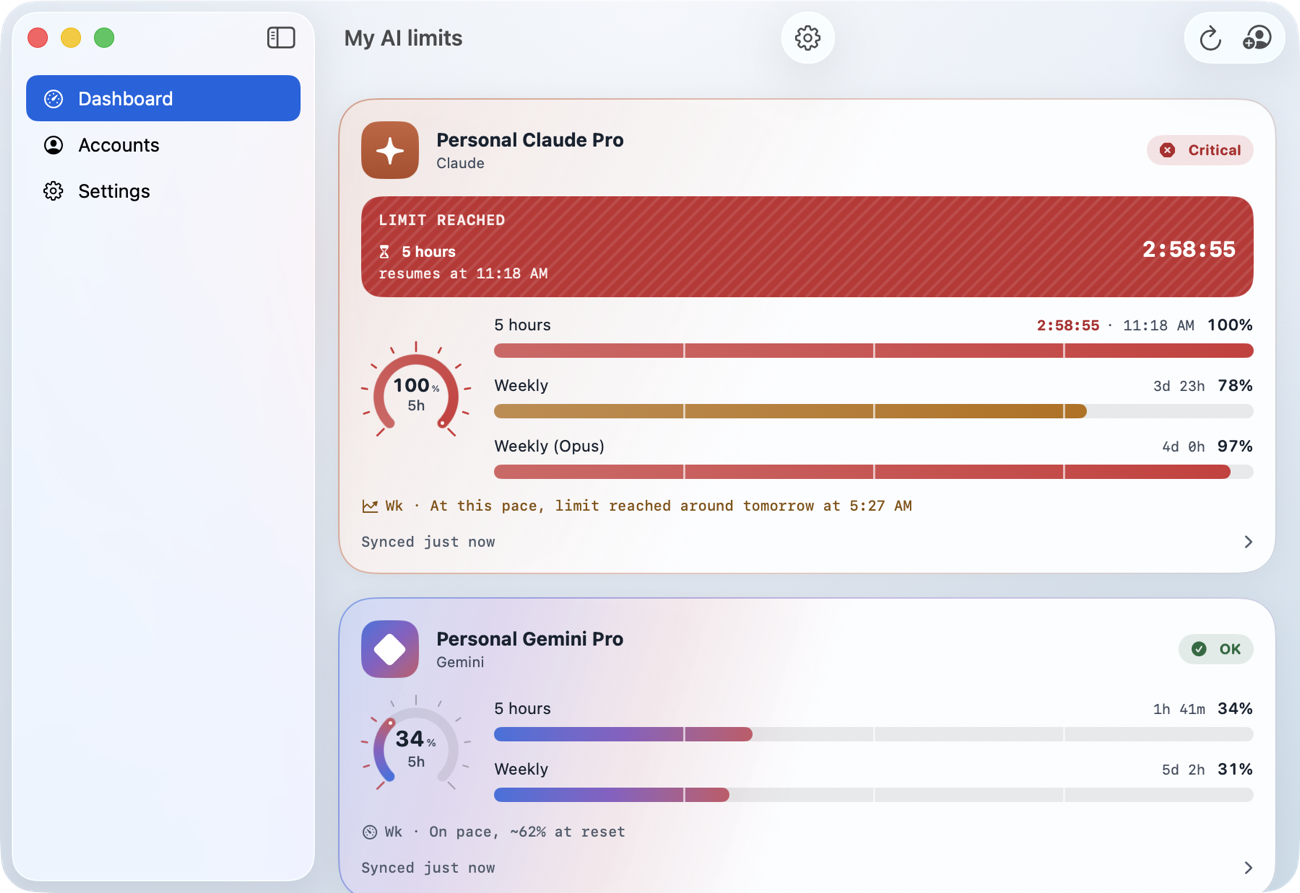
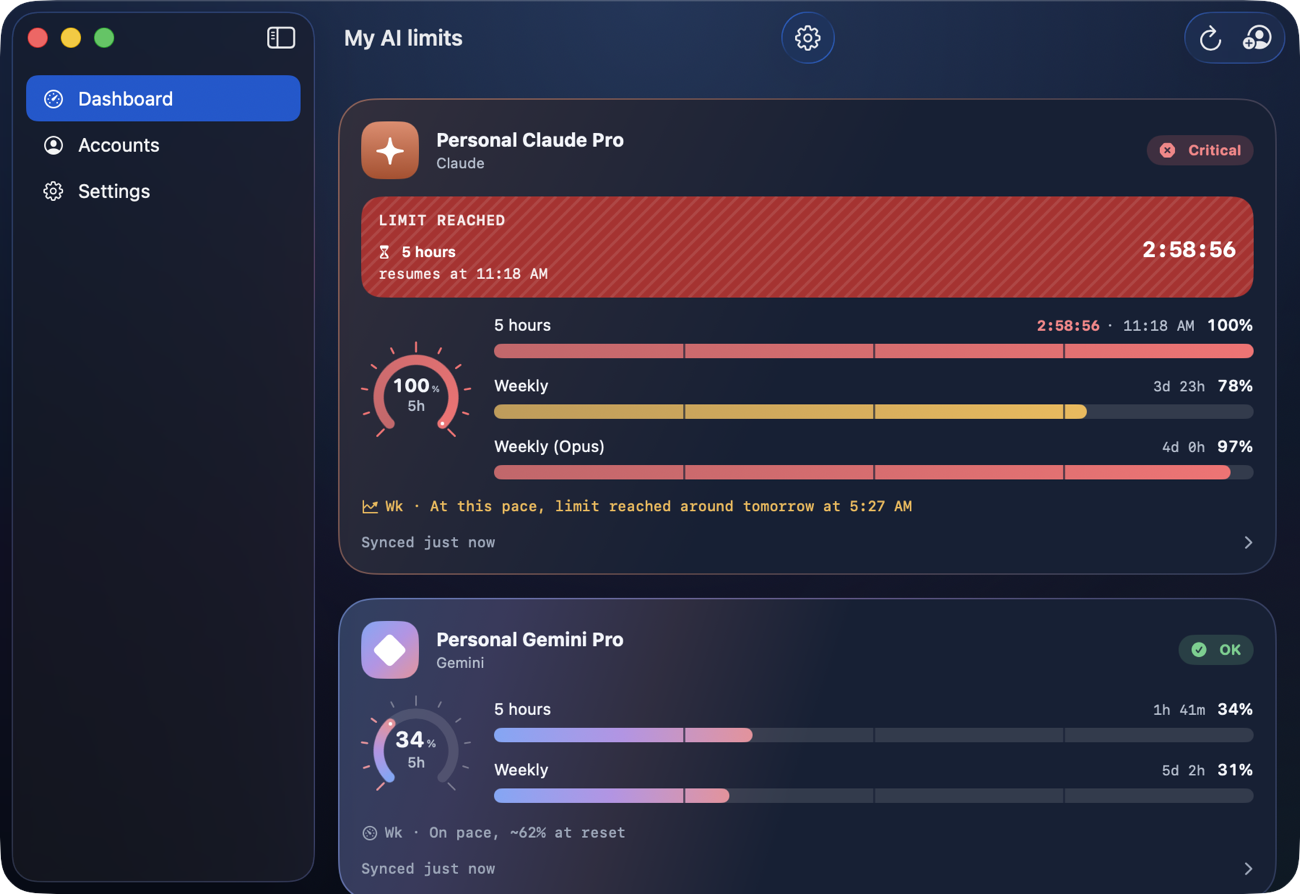
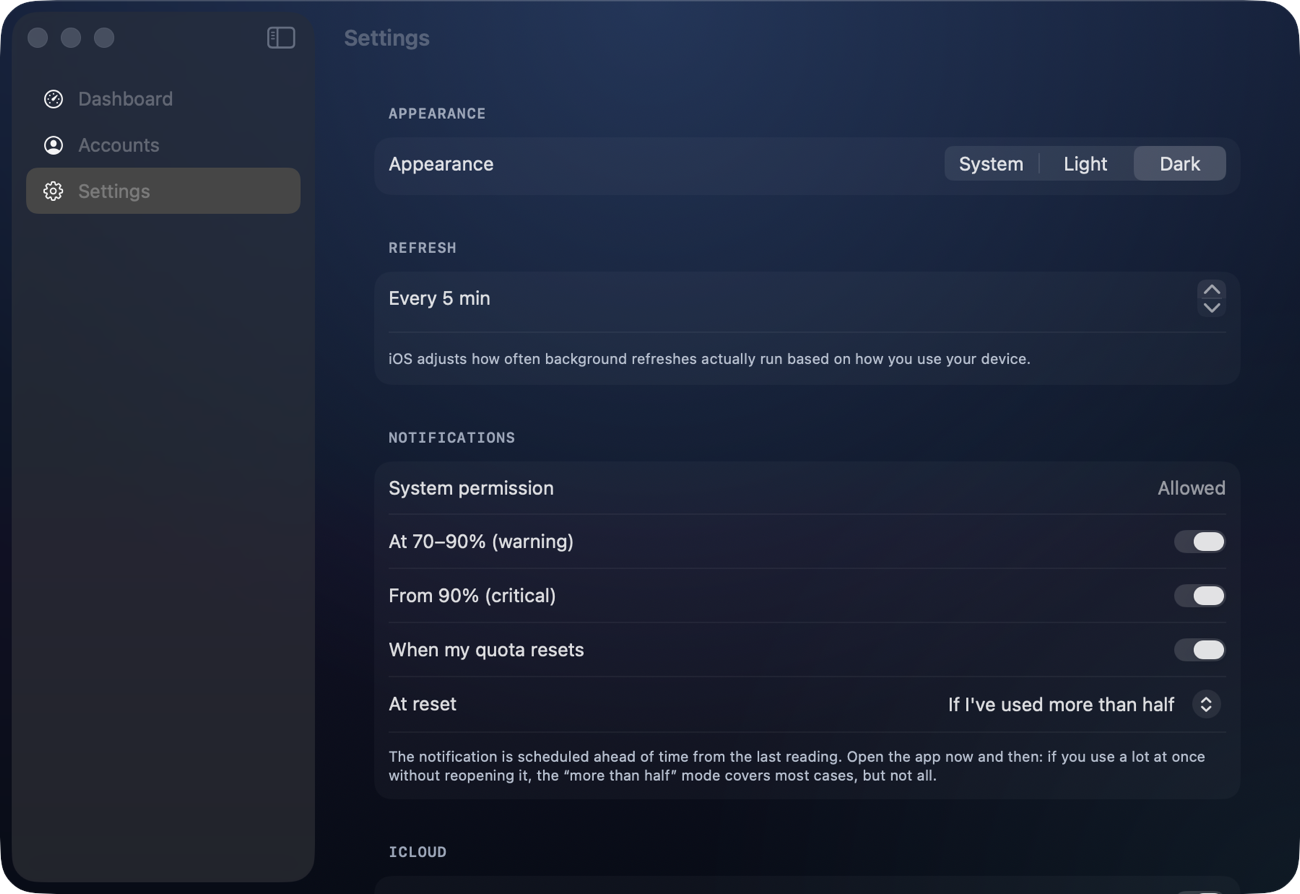
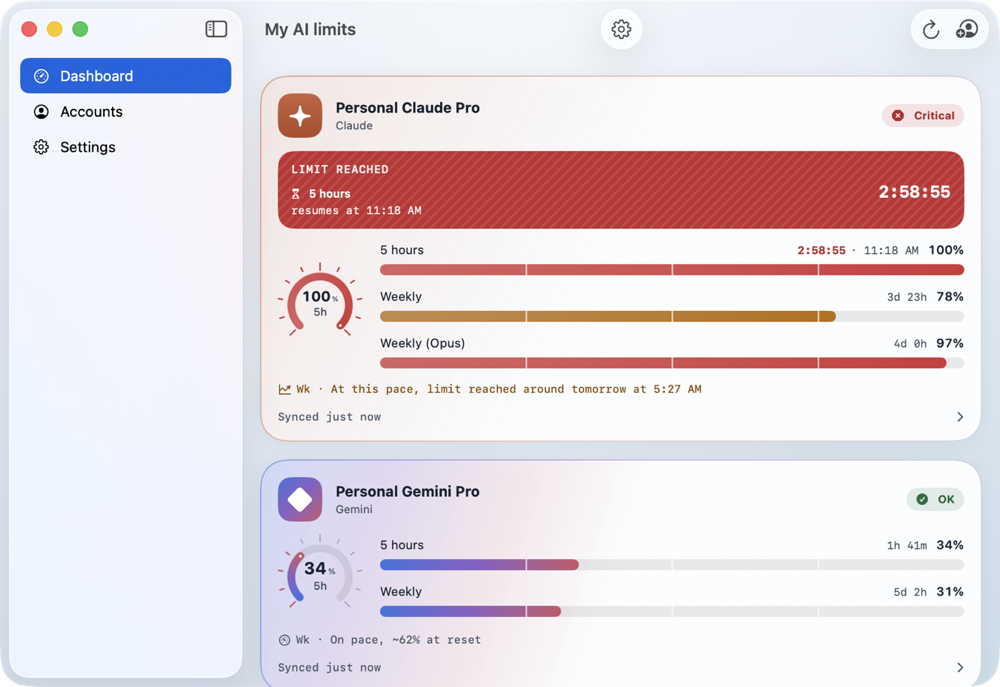
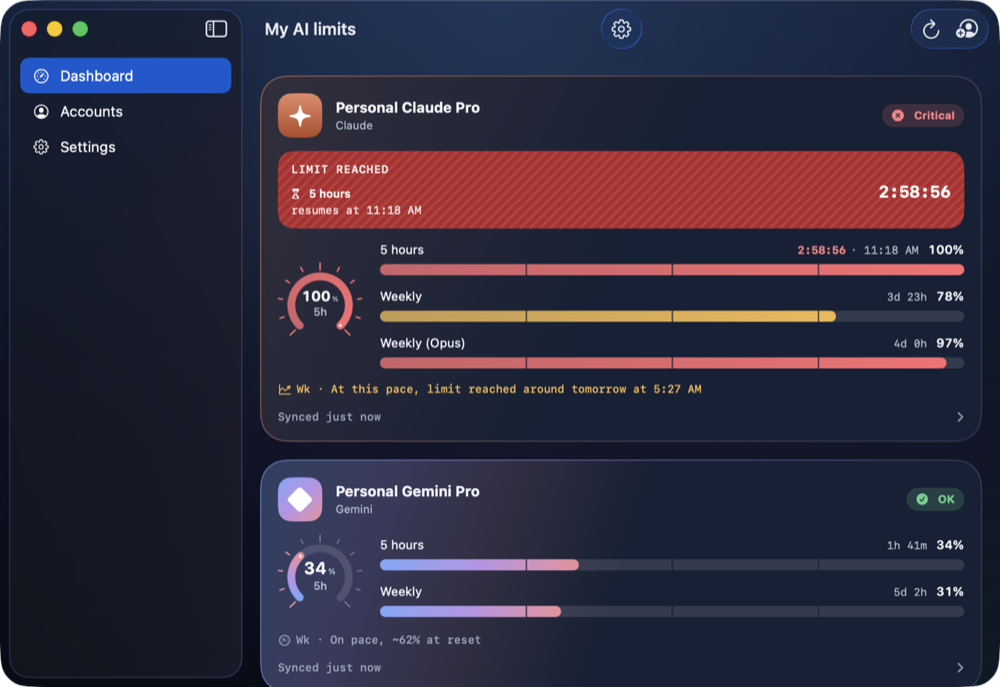
The app's window on Mac: sidebar and account cards with countdown and pace forecast (demo data).The app's window on Mac: sidebar and account cards with countdown and pace forecast (demo data).
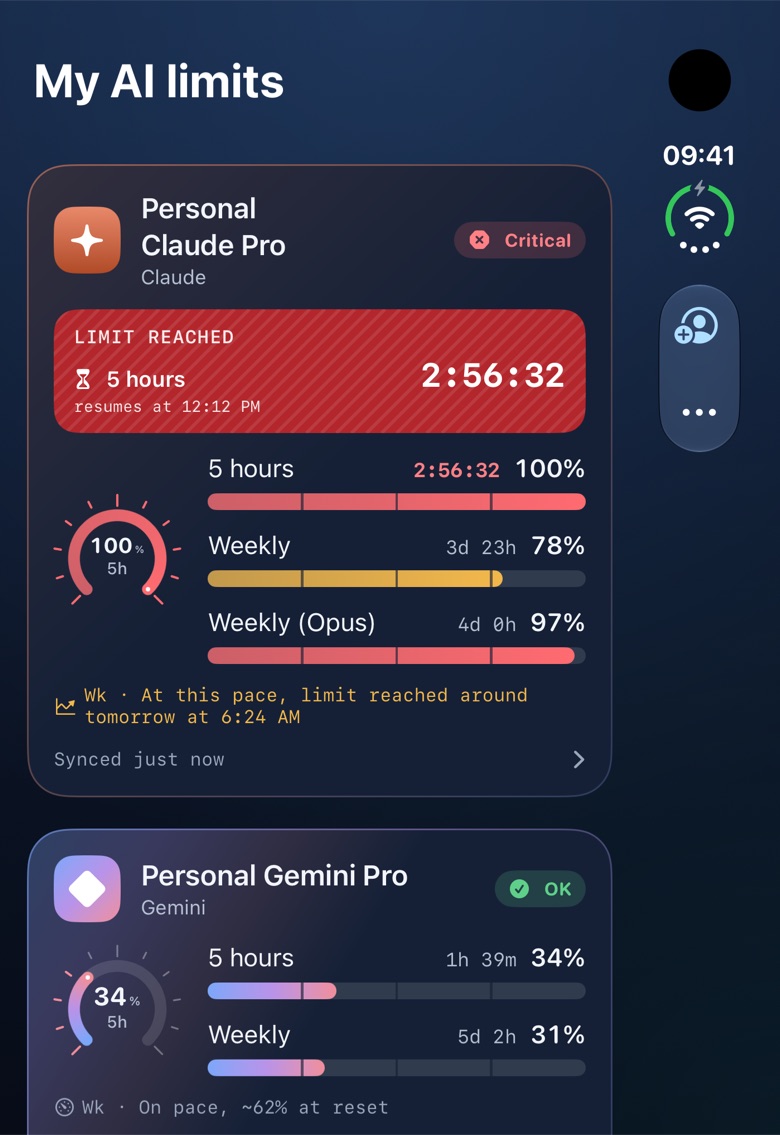
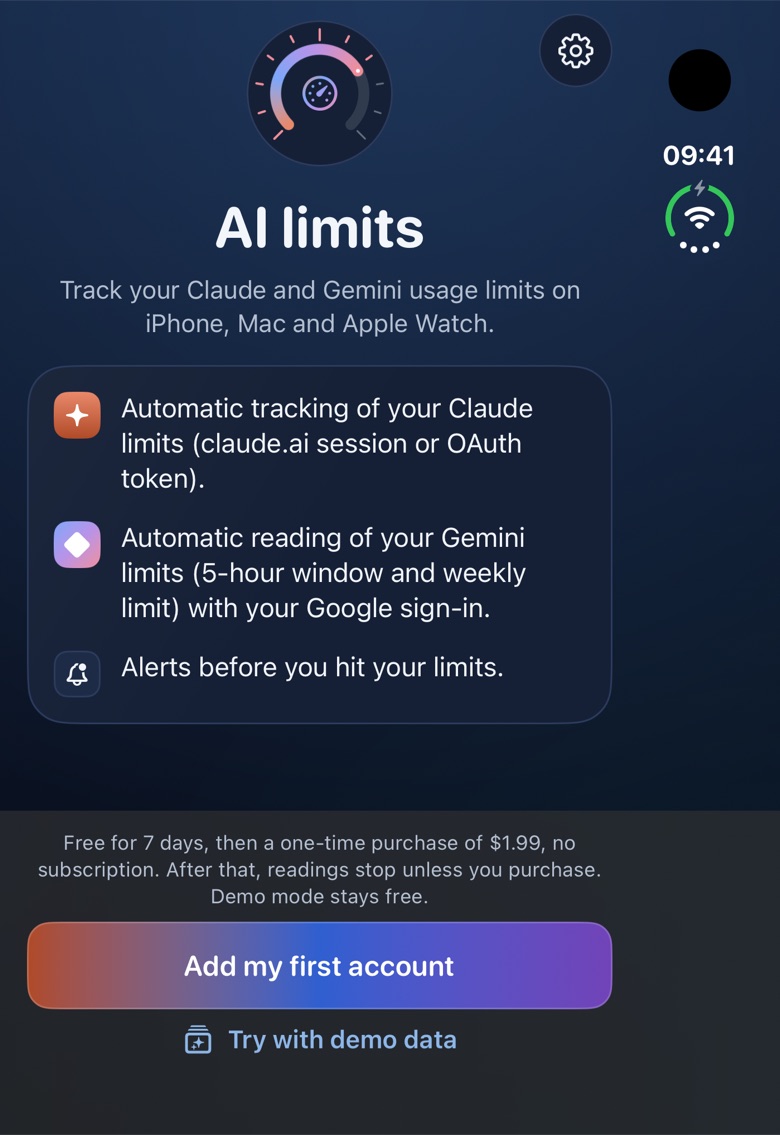
The app's dashboard on iPhone: one card per Claude and Gemini account, with gauges, percentages and a resume countdown (demo data).The app's dashboard on iPhone: one card per Claude and Gemini account, with gauges, percentages and a resume countdown (demo data).

Demo data: screenshots show fictional accounts.

The problem

You only see the limit by hitting it.

Halfway through a long session, the answer stops: limit reached. No warning, no resume time without opening a browser, no idea what is left on the weekly limit. AI limits puts those numbers back in front of you, where you already look.

Three gestures: see, predict, resume.

  1. 01 · See

    See

    One dial per window, a clean percentage, the time before reset. On iPhone, Mac, widgets and watch.

  2. 02 · Predict

    Predict

    A pace forecast ("at this pace, limit reached around 4:20 PM") and alerts at 70, 90 and 100%.

  3. 03 · Resume

    Resume

    A live countdown to the resume time, a notification when you can start again, and the Dynamic Island.

Features

A cockpit instrument for your AI subscriptions.

01 · Dashboard

One card per account

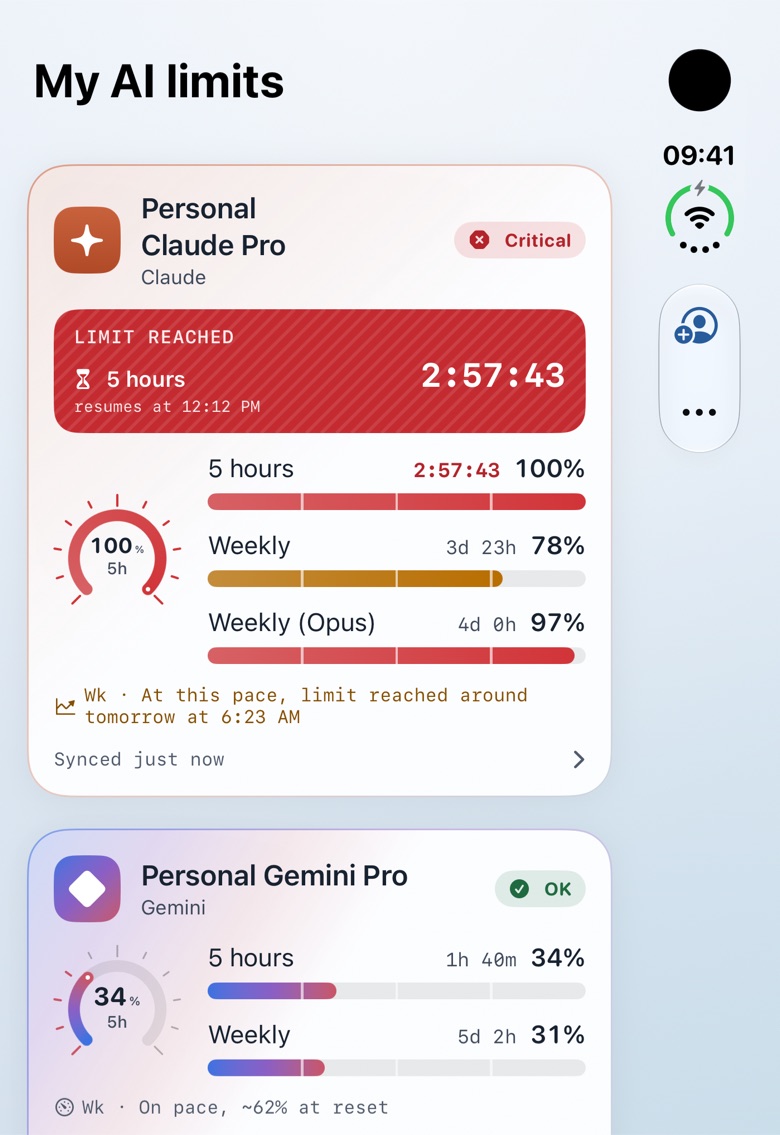
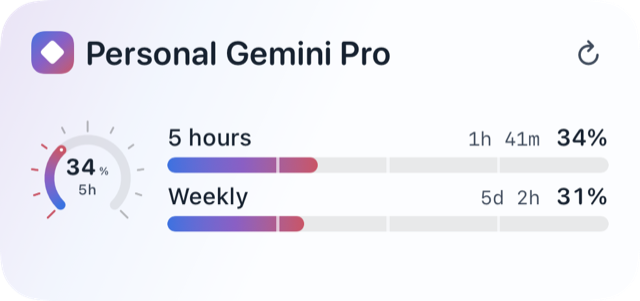
Each Claude or Gemini account gets its own card: a graduated 270° ring, the percentage in large figures, one bar per window (5 hours, weekly and, depending on the plan, a model-specific window) and the time left before reset.
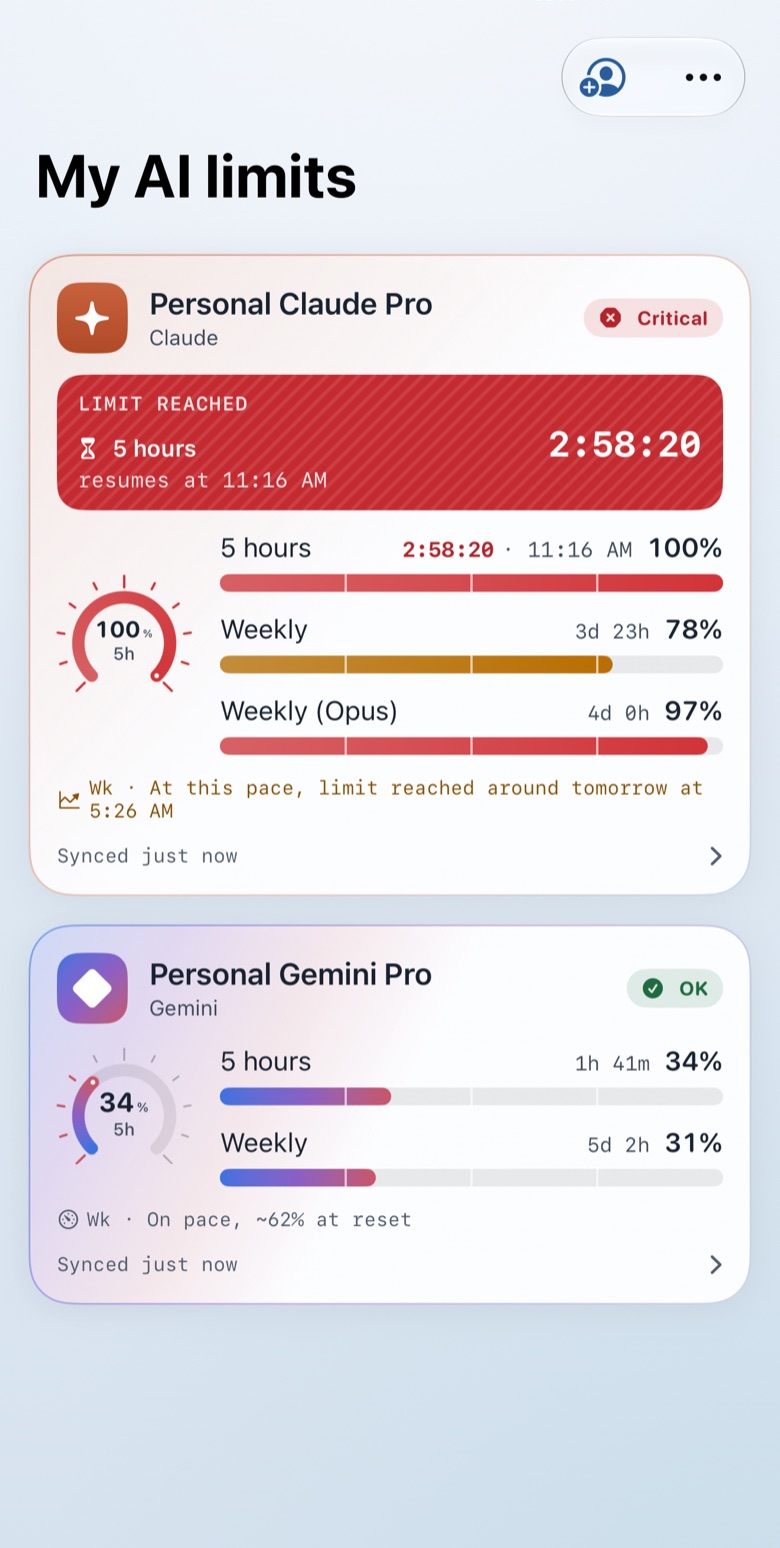
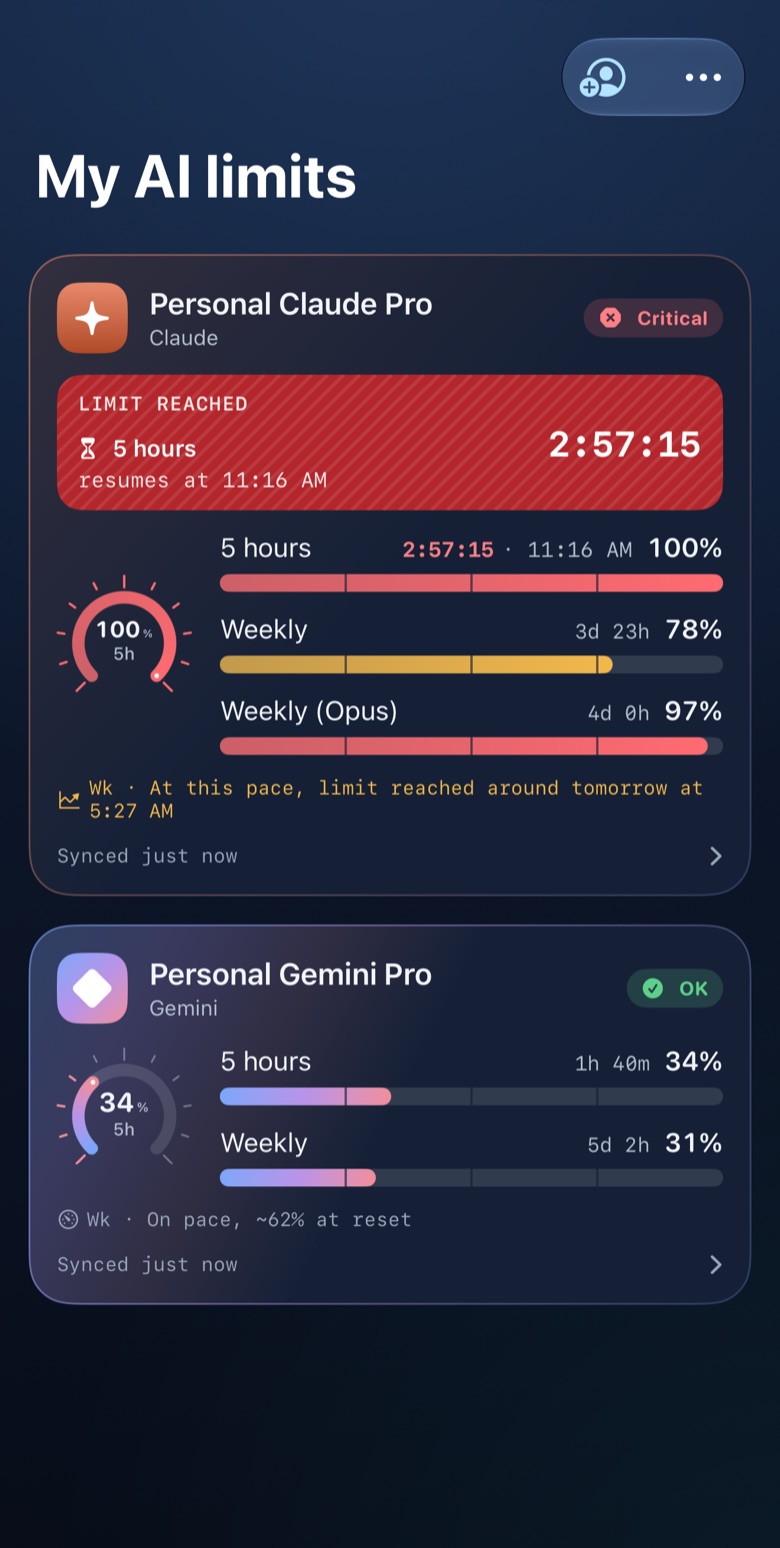
Dashboard on iPhone: two account cards with rings, per-window bars and a "Limit reached" banner (demo data).Dashboard on iPhone: two account cards with rings, per-window bars and a "Limit reached" banner (demo data).

02 · History

The last 7 days in one chart

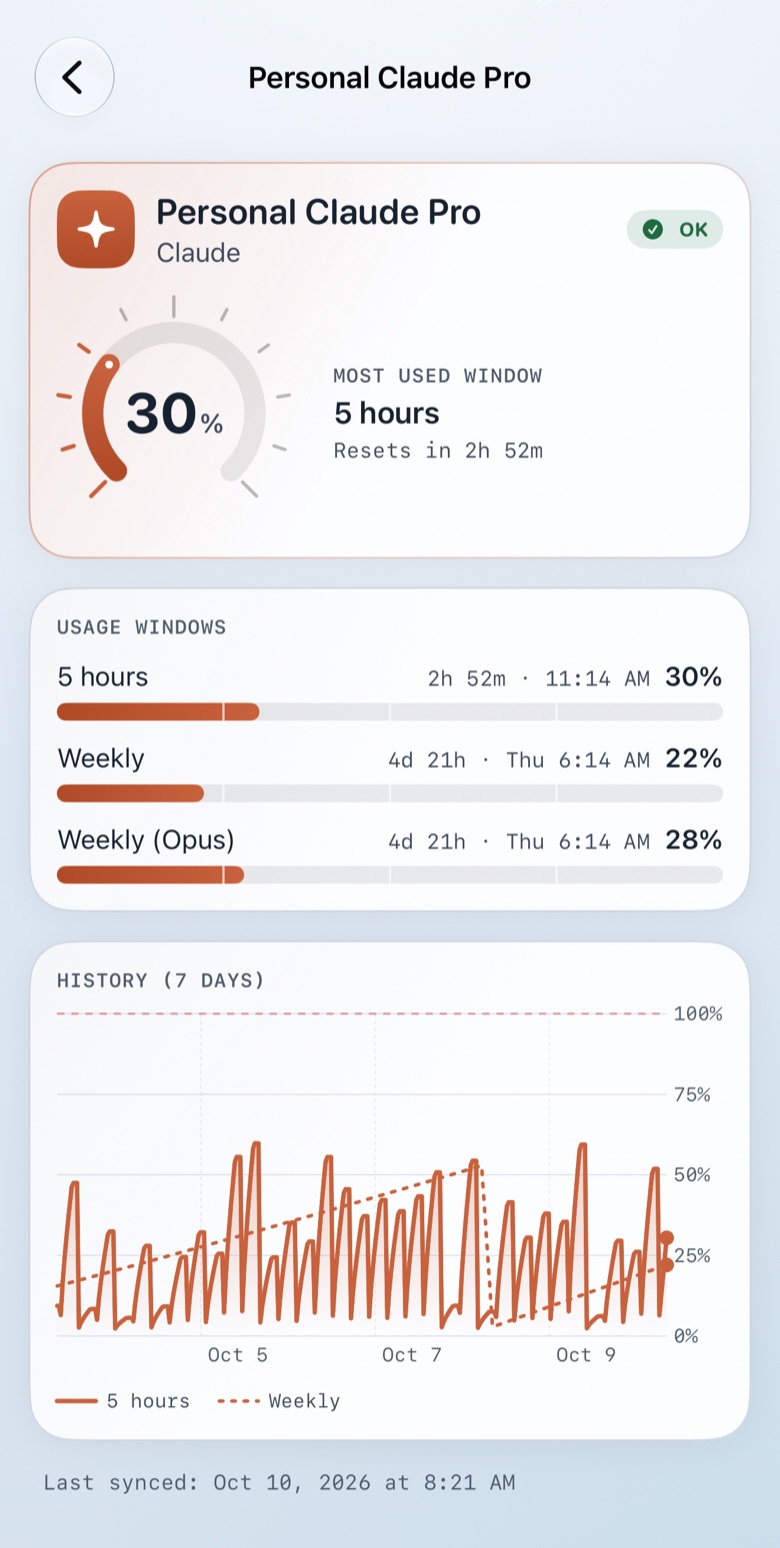
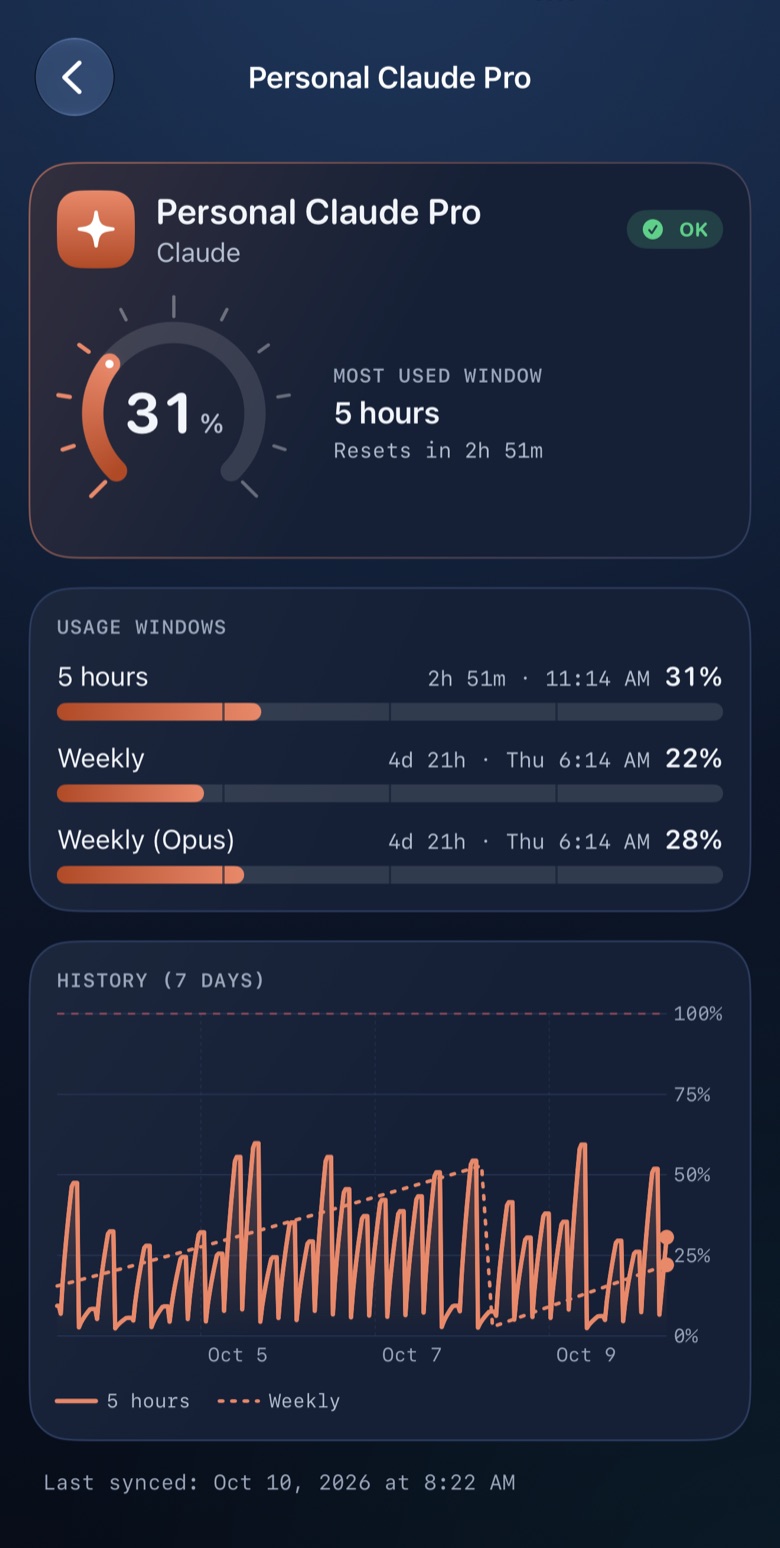
An account's detail shows each window, its reset and the trend over 7 days, with a 100% marker. The history stays on your device.

Account detail on iPhone: usage windows and a 7-day history chart (demo data).Account detail on iPhone: usage windows and a 7-day history chart (demo data).

03 · Resume

A countdown to the resume time

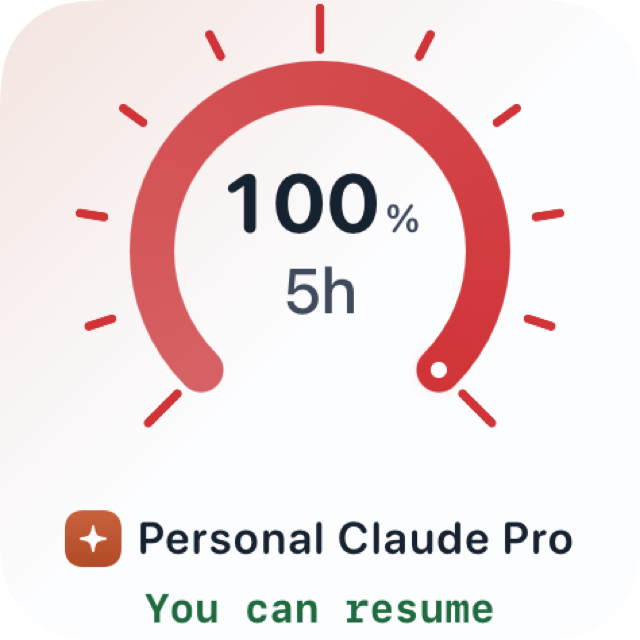
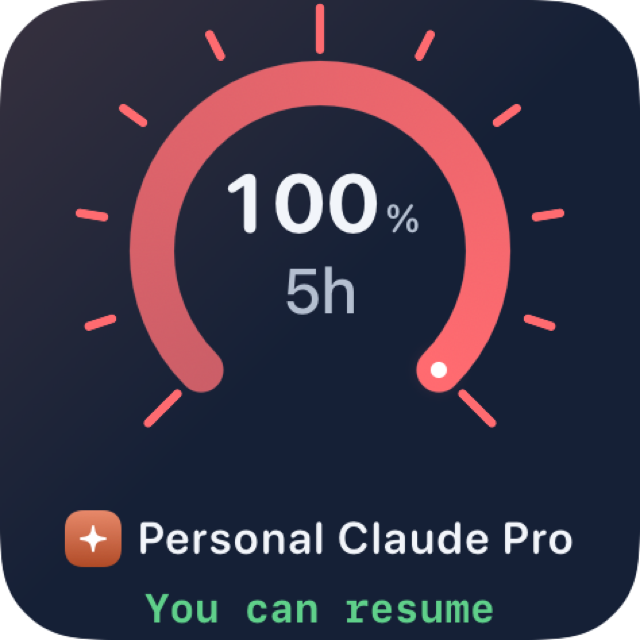
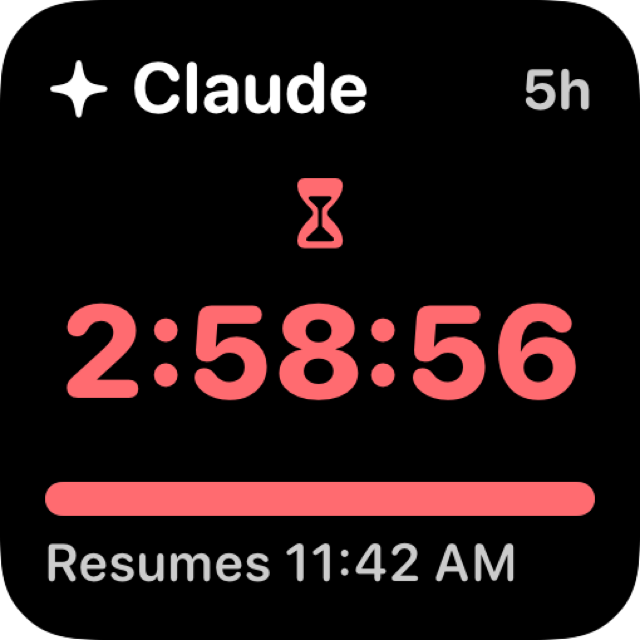
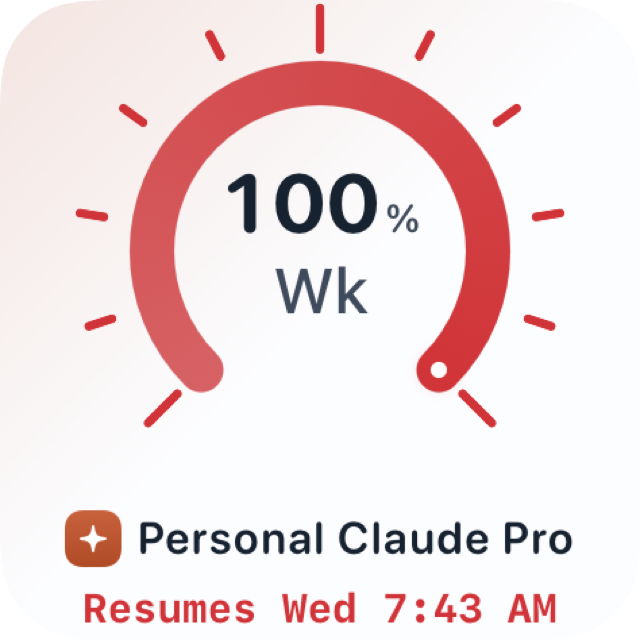
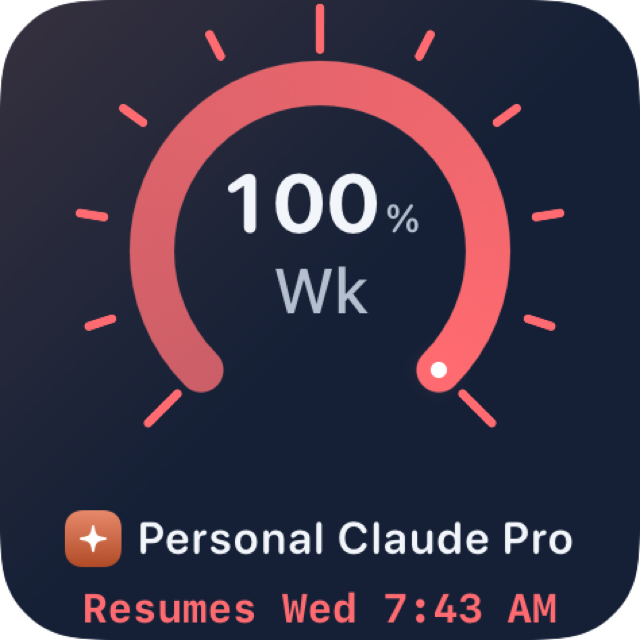
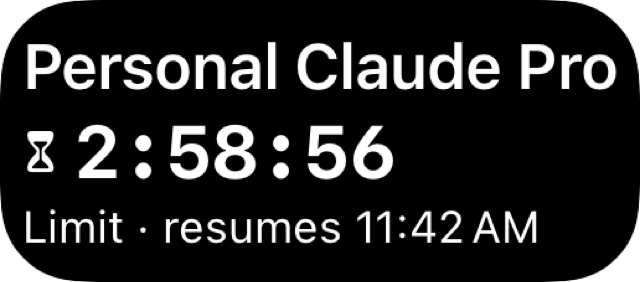
When a limit is reached, a live counter replaces the text in cards, widgets and on the watch, with the resume time. Then "You can resume", and a notification tells you when it is time. On iPhone, the Dynamic Island and the Lock Screen show the same counter.

Good to know. The Dynamic Island starts when you open the app, or with one gesture without opening it: the “Countdown” control in Control Center, the hourglass button in the widget, or Siri. Resume within 8 hours (an iOS rule); it does not start by itself while the app is closed.

Account card with the "Limit reached" banner, countdown and resume time (demo data).Account card with the "Limit reached" banner, countdown and resume time (demo data).
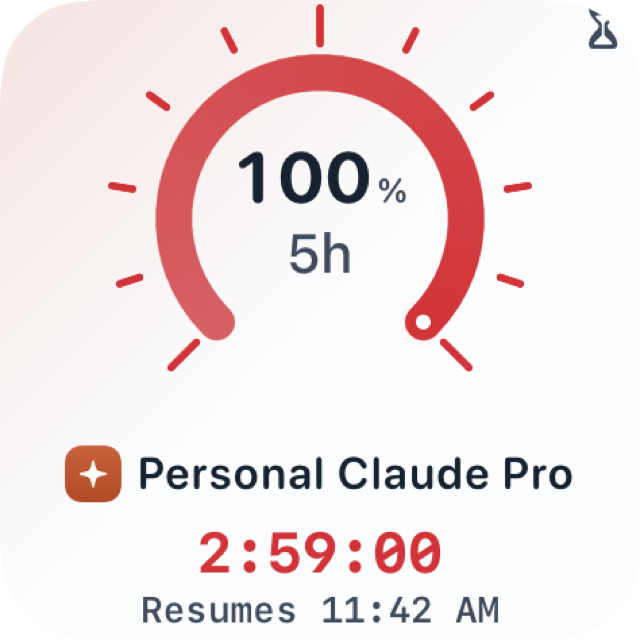
Small widget showing "You can resume" after the reset (demo render).Small widget showing "You can resume" after the reset (demo render).

04 · Forecast

At this pace, limit reached around 4:20 PM

From your history, the app estimates when you will reach each limit, or tells you the pace is sustainable. The calculation runs on your device and sends nothing anywhere.

Window bars and a pace forecast line on an account card (demo data).Window bars and a pace forecast line on an account card (demo data).

05 · Widgets

Home Screen, Lock Screen, StandBy

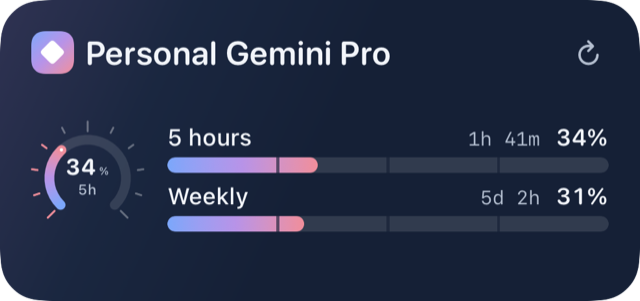
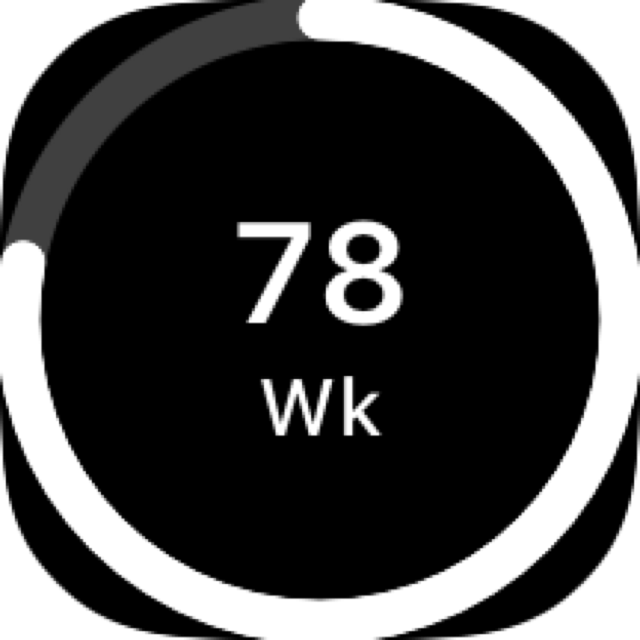
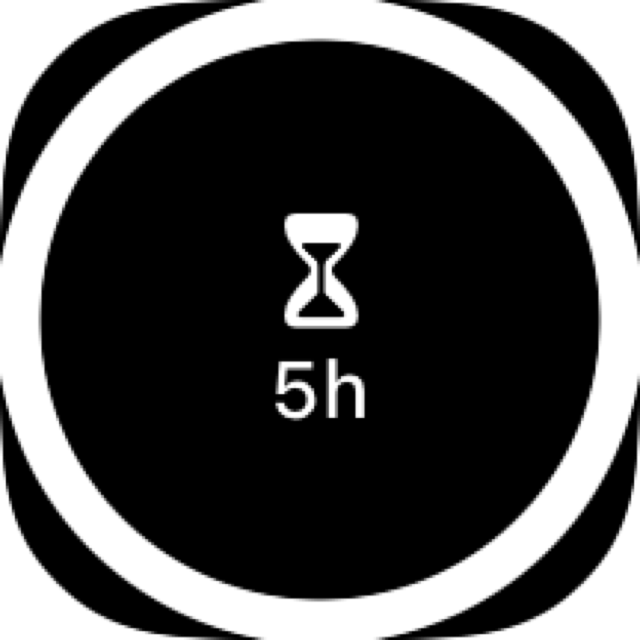
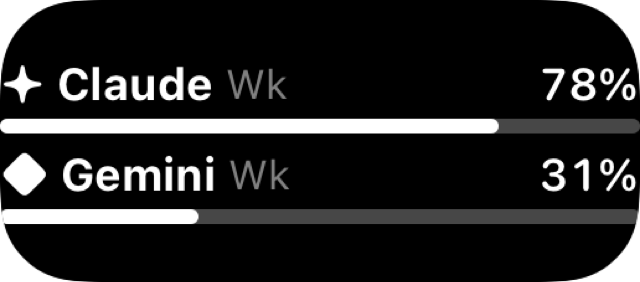
Small, medium and large for the Home Screen, gauges and text for the Lock Screen, StandBy: the same grammar as the app, closer to your eyes.

Good to know. iOS decides when a widget is refreshed, so percentages can be a few minutes behind. The resume counter, on the other hand, keeps ticking by itself.

Widgets : Medium, all accountsWidgets : Medium, all accounts
Widgets : SmallWidgets : Small
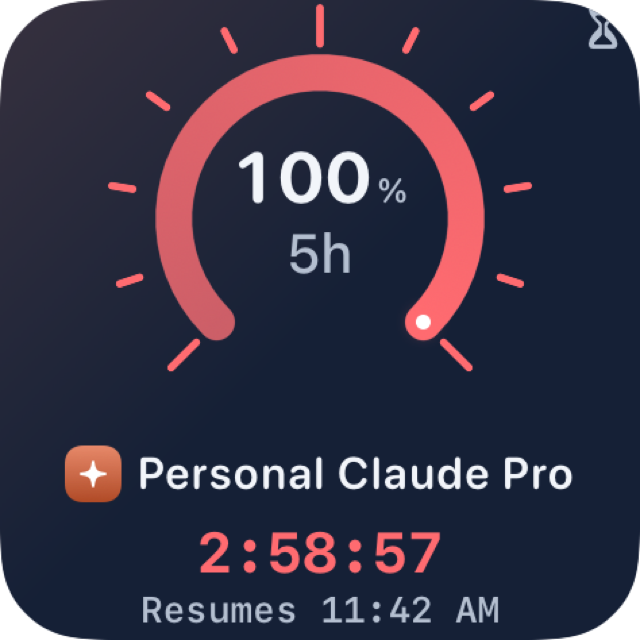
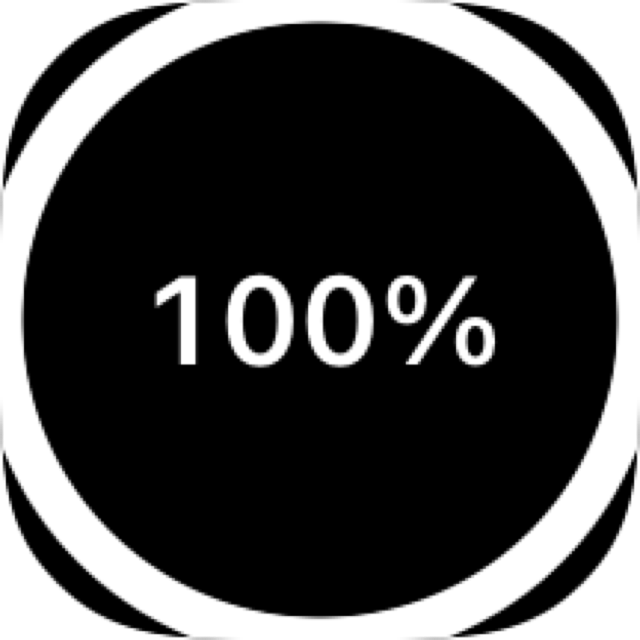
Widgets : StandBy, limit reached

06 · Apple Watch

Your limits on your wrist

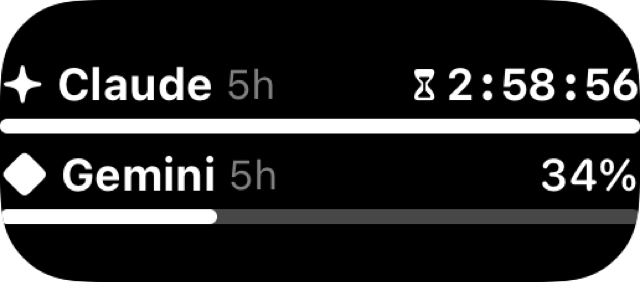
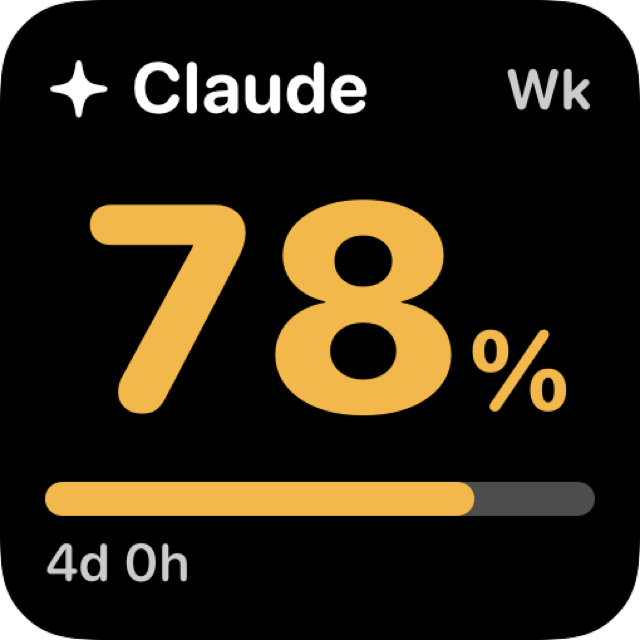
Account list, detail, and complications for your watch faces and Smart Stack. Accounts come from the iPhone; no credentials are ever sent to the watch.

Illustration, not a screenshot.

07 · Siri and Shortcuts

Just ask

Ask out loud or add the action to a shortcut: Siri gives the percentage for each window, the time before reset and the resume time.

  • "Where do I stand with AI limits"
  • "When can I resume with AI limits"

08 · Private iCloud

Your devices talk to each other, not to us

Optional: the account list and the latest readings travel through your iCloud, with no developer server. Never a password, cookie or token. A Mac that is on can take readings for your other devices.

Illustration, not a screenshot.

09 · Light and dark

Mist by day, deep blue by night

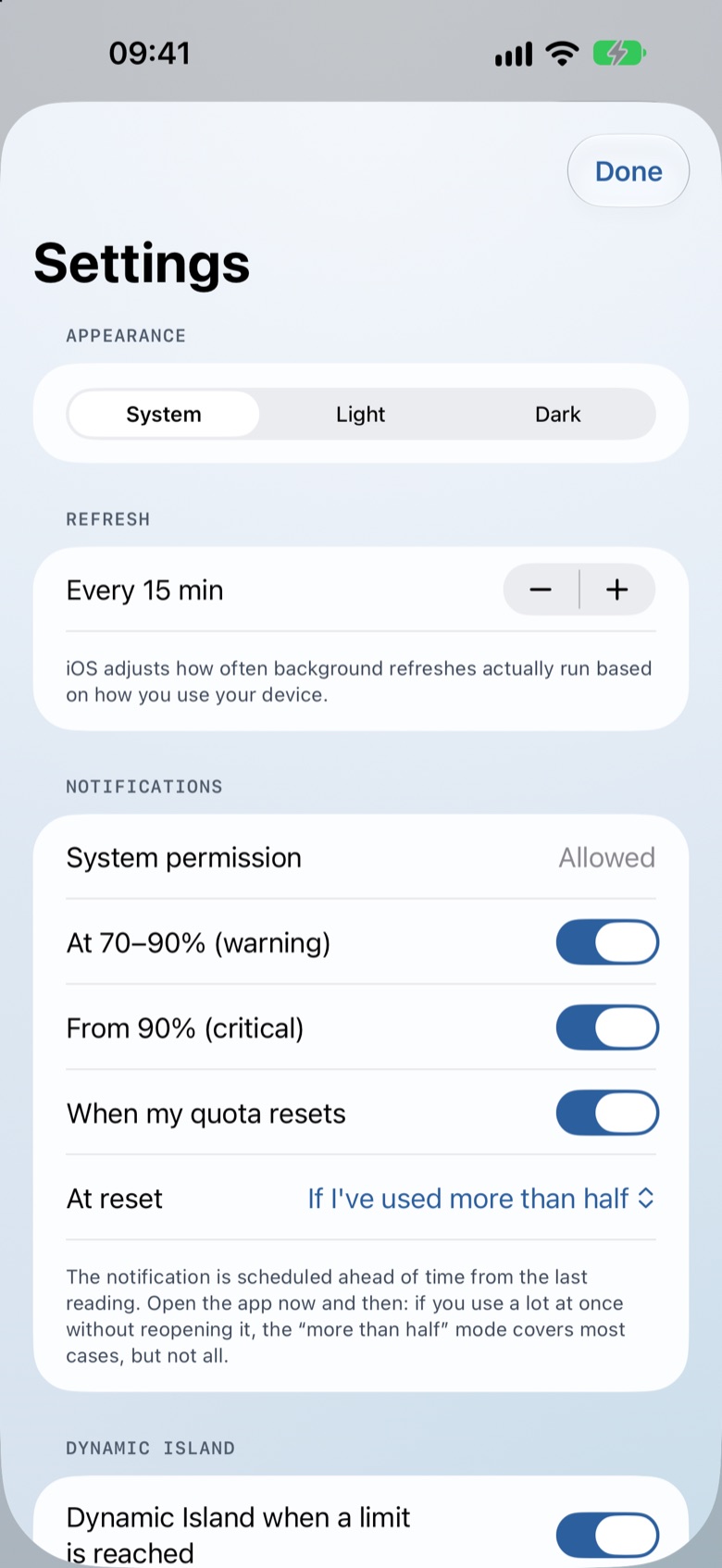
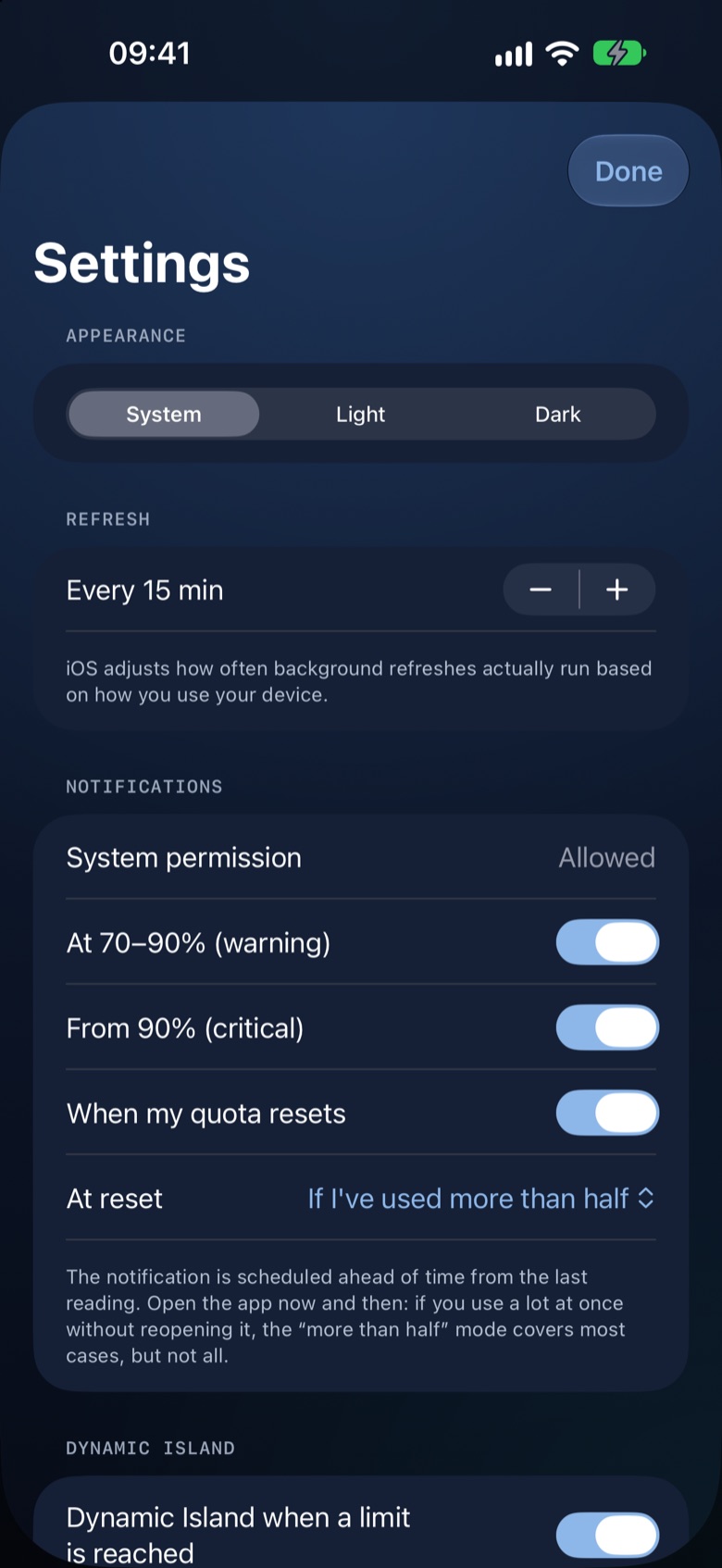
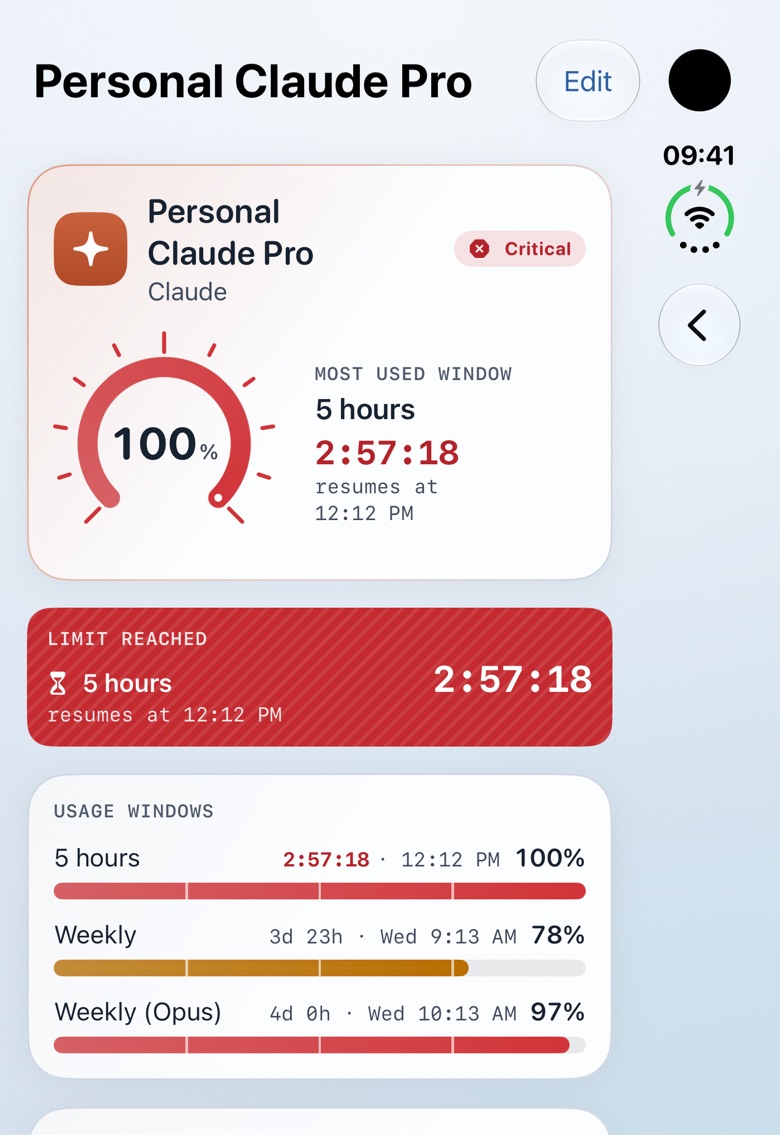
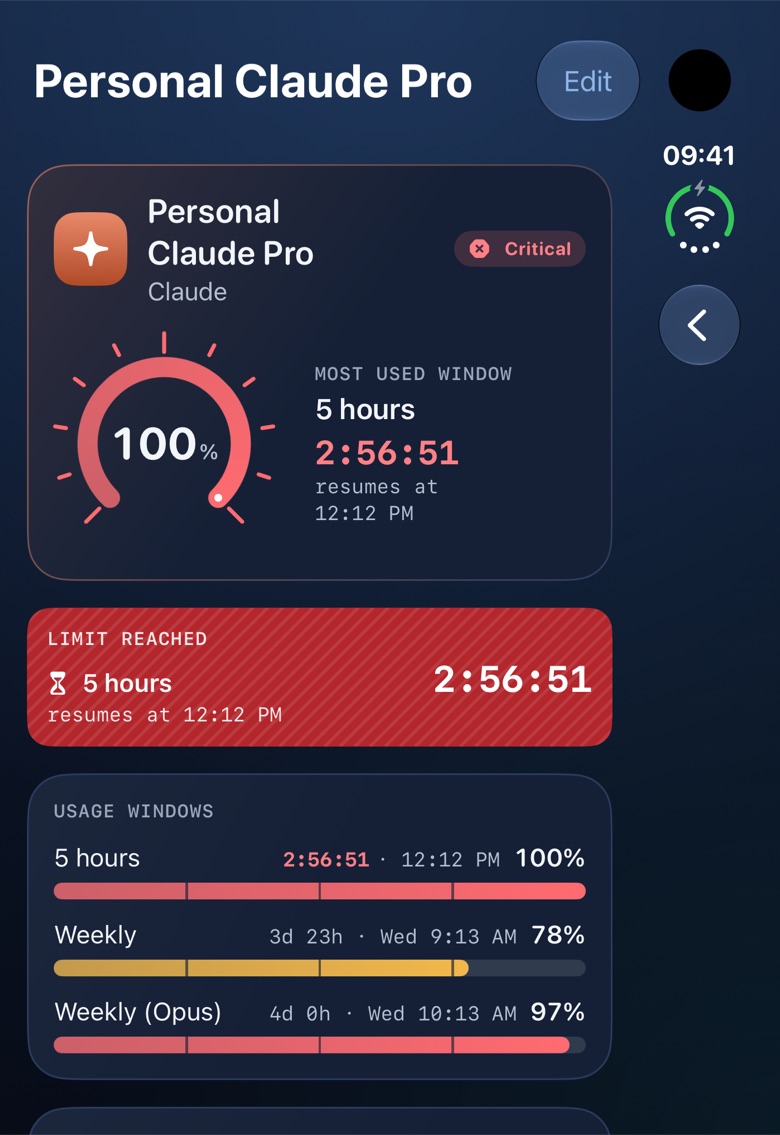
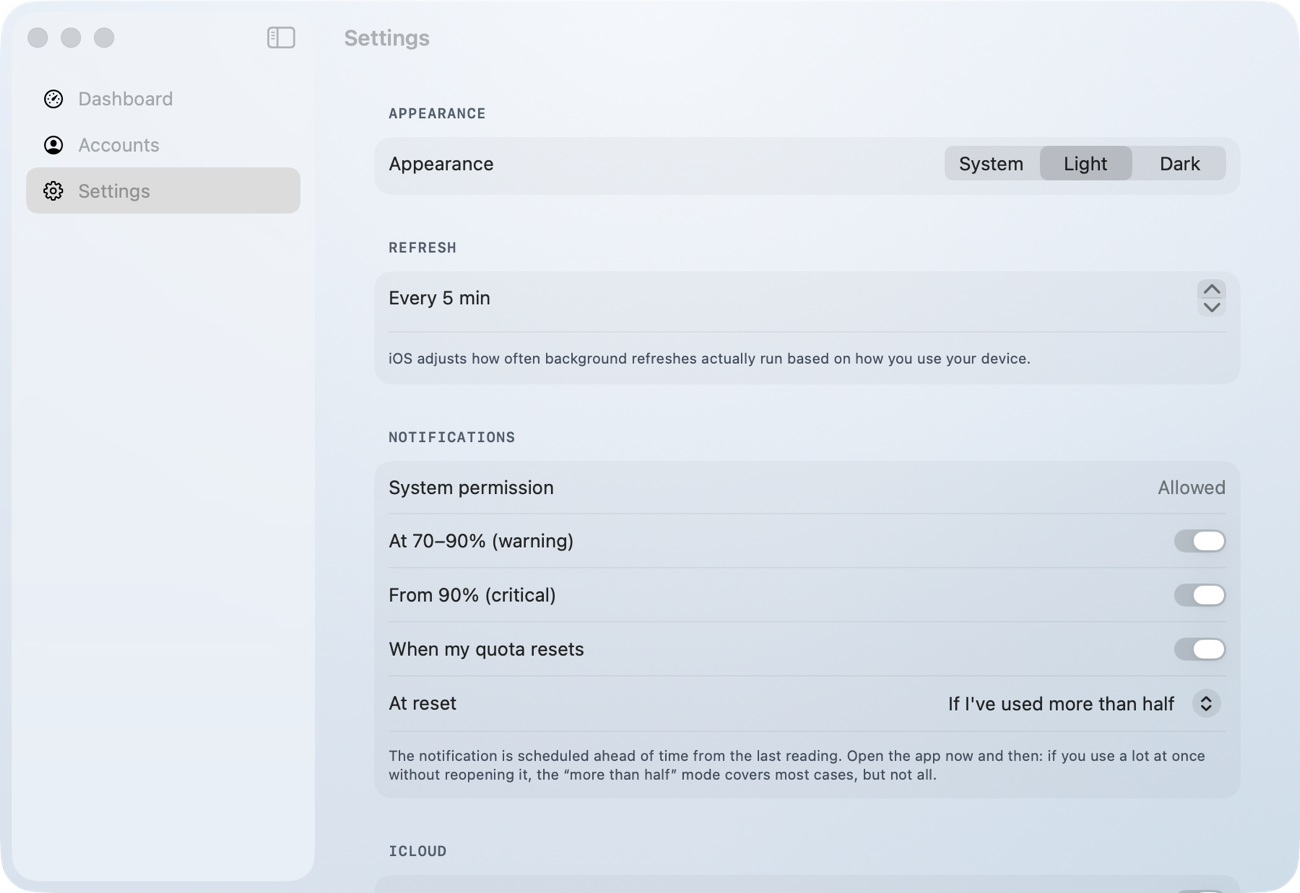
The app follows the system setting. Contrast meets the AA level, and information never relies on color alone: every state has a symbol and a word.

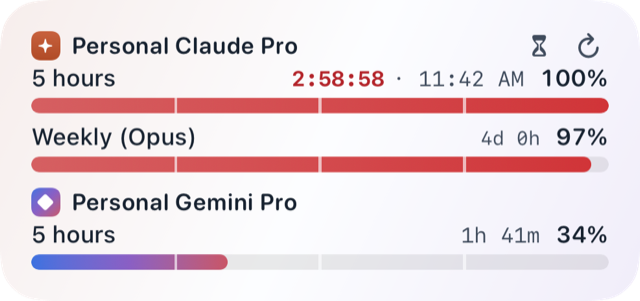
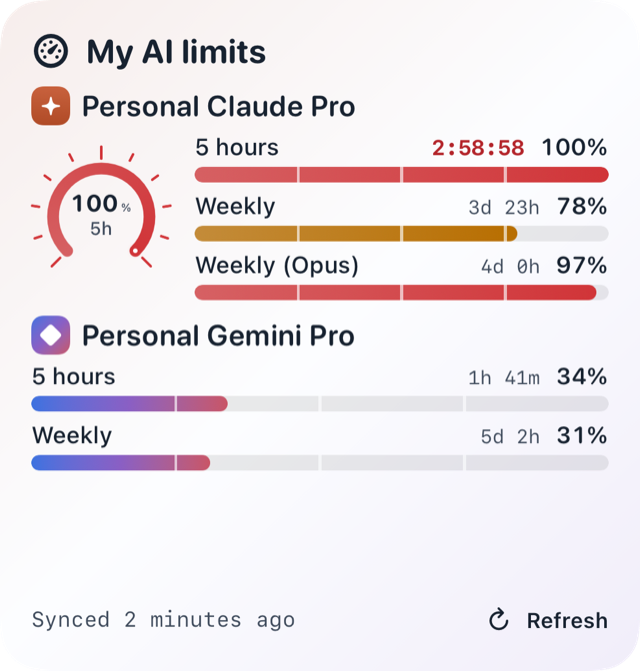
Dashboard in light theme (demo data).
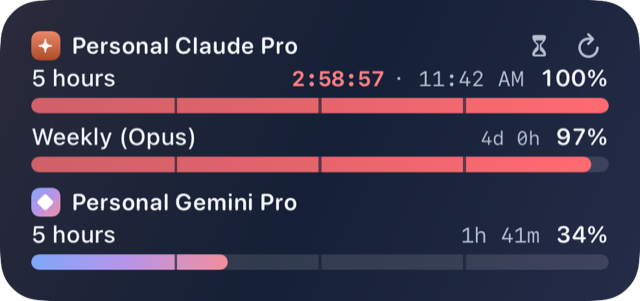
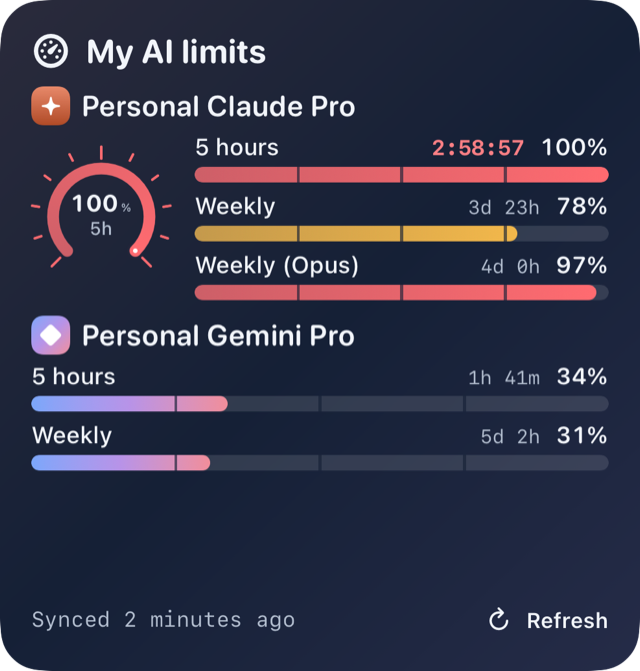
Dashboard in dark theme (demo data).

Privacy

Your data stays with you.

Read the full privacy policy
  • No developer server, no analytics, no ads, no tracking.
  • You sign in on the official claude.ai or Google page, in a window inside the app: it never sees your password.
  • The session is stored in your device's keychain. It is never written to iCloud or sent to the watch.
  • iCloud sync is optional, goes through your private iCloud and contains no credentials.
  • The only network traffic: the app itself queries claude.ai, api.anthropic.com and Google services, on your behalf, straight from your device.

How it works

Three steps, no complicated setup.

  1. 1

    Add an account

    In the app, pick Claude or Gemini and sign in on the official page, in a window inside the app.

  2. 2

    The app reads your limits

    It reads your percentages and reset times straight from your device, while the app is open and in the background as often as iOS allows.

  3. 3

    Alerts and widgets

    Widgets, watch, notifications at 70, 90 and 100%, resume notification, Dynamic Island: everything comes from the same readings.

Pricing

Free to try, $1.99 once to keep.

  1. 1

    7 days, everything included

    The download is free. For 7 days from the download, every feature is available: readings, widgets, Apple Watch, alerts, Dynamic Island and Siri.

  2. 2

    Then, a one-time purchase

    To keep going, a single in-app purchase, “Full unlock”, at $1.99 (equivalent price in your currency). No subscription. It covers iPhone, Mac and Apple Watch with the same Apple Account.

  3. 3

    Always free: the demo

    Demo mode stays available with no time limit, so you can try everything with fictional accounts, without a Claude or Gemini account.

FAQ

Frequently asked questions

Which subscriptions does it work with?

Claude (Pro, Max) and Gemini (Google AI Pro, Ultra). A subscription is required for real readings; demo mode lets you try everything without an account.

Are my credentials shared?

No. You sign in on the official page and the app never sees your password. The session stays in your device's keychain: nothing is sent to the developer, nothing is written to iCloud. An advanced option accepts a Claude OAuth token.

What about Android or Windows?

No: the app is made for Apple devices (iPhone, Mac, Apple Watch). There is no Android or Windows version.

How much does it cost?

The app is free to download and works in full for 7 days from the download. After that, real readings, widgets, alerts and the Apple Watch stop until you make the one-time in-app purchase “Full access”, at $1.99 (equivalent price in your currency). It covers iPhone, Mac and Apple Watch with the same Apple ID, with no subscription; Family Sharing is not included. Demo mode stays free, with no time limit.

Is it affiliated with Anthropic or Google?

No. AI limits is an independent app. Claude is a trademark of Anthropic; Gemini is a trademark of Google. They are only named to say which services the app reads limits from.

Does the Dynamic Island appear when the app is closed?

Not by itself: iOS only lets an app start a Live Activity automatically while it is open in the foreground. But one gesture is enough, without opening the app: the “Countdown” control (Control Center, Lock Screen), the hourglass button in the widget, or Siri. Only a resume within 8 hours can be shown (an iOS rule). Without the gesture, the resume notification scheduled from the last reading and the widgets (refreshed at iOS's discretion) remain available.

What if Claude or Gemini change how they work?

The limits are not exposed by an official API: the app reads the same pages you would for your account. If a service changes them, the app may stop working until an update, showing a clear message. Google may also refuse sign-in inside an app's embedded window; the app says so and offers to retry.

How do I get help?

Email us at contact@capcod.eu with a description of the problem and your device. Never send credentials or screenshots that show tokens.

Open an issue

Ready to see the limit coming?

AI limits is coming soon to the App Store. Meanwhile, email us at contact@capcod.eu to be told when it launches.

Get notified at launch